Define who fits
Search by location, estimated net worth, income, business ownership, industry, employer, job title or alma mater.
The ClientGen platform
Discover prospects who fit your practice. Learn more about the people you already know. Put a relevant campaign in motion, and see who responds.
01 / Discover your next clients
Go beyond a name and a ZIP code. Combine your ideal client profile with life and business events to build a more relevant audience.
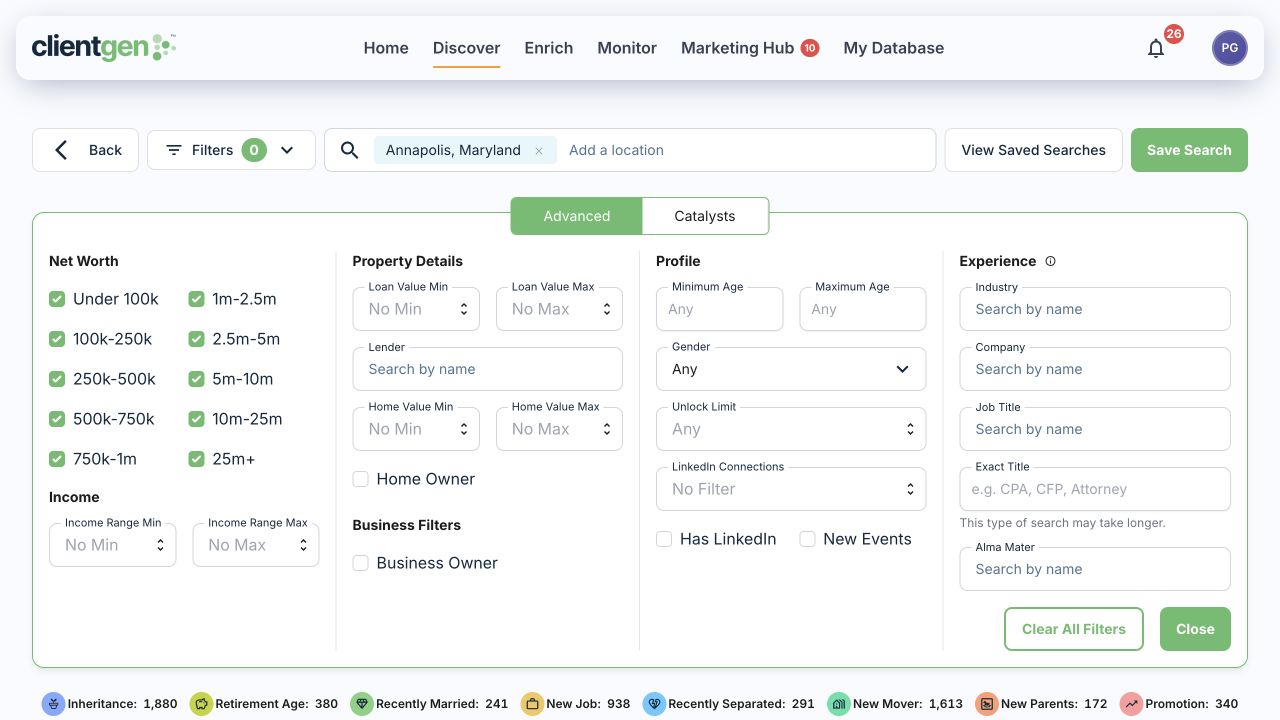
Search by location, estimated net worth, income, business ownership, industry, employer, job title or alma mater.
Look for a business sale, new job, promotion, move or approaching retirement age. Filter by event date to focus your outreach.
Save the criteria that matter to your practice. Revisit your market or use the search to power a scheduled Unlock Flow.
Start with a market you understand
Example audiences. Available records and estimates vary by search.
The depth behind the name
Estimated wealth is only the beginning. Explore family connections, relatives’ wealth estimates, property, career history and life events to prepare for a more informed conversation.
Business owner · Annapolis, MD
See available relatives, relationships and individual estimated net worth.
Individual estimates are not added together as household wealth.
Event type, date and details give you a reason to reconnect.
Joined a new company as chief operating officer.
Relocated to Annapolis, Maryland.
Go into the conversation with context about the person, their family and a recent change.
Available property records also include ownership details.
Professional history can reveal shared experience and a natural starting point.
Keep the research and your next step connected.
Fictional people and values illustrate fields available in ClientGen. This is a simplified view, not a product screenshot. Data coverage varies; wealth and income figures are estimates.
Discover by catalyst and event date, or monitor contacts for new events.
See the depth of the data in a market you know.
Explore a profile with us Your relationships. More possibility.
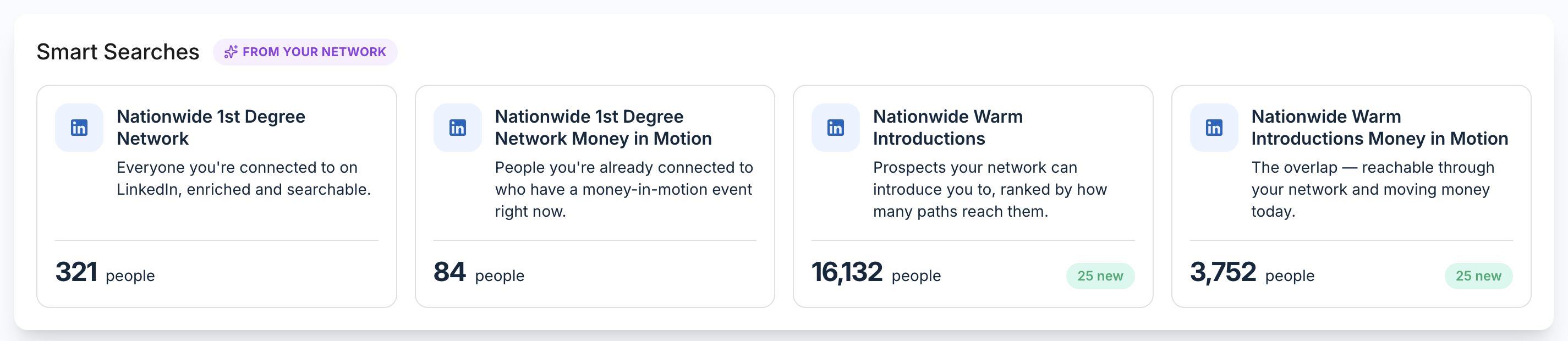
Connect LinkedIn to turn the people you know, and the people they know, into searchable, enriched audiences. See who fits your practice and who has a timely reason to talk.
Show me warm introductionsA path to a warmer conversation
New job · Promotion · Business sale · Retirement age
See the shared relationship, choose who to ask and start the conversation with context.
Search your first-degree network with available wealth, household, property and professional context.
Discover and enrich second-degree prospects. Find who can introduce you and compare available paths.
Surface life and business events across both audiences, so your outreach has a relevant starting point.
Build a focused audience, request a warm introduction or use LinkedIn connection and message steps in your campaign.
02 / Enrich the contacts you have
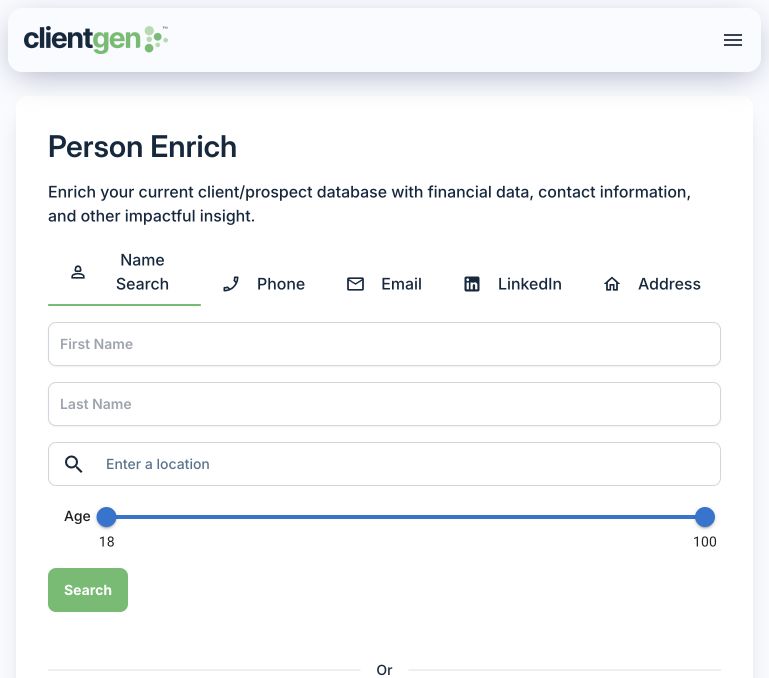
An old prospect list. A person you just met. Contacts from your CRM. Enrich helps fill in the picture with available contact details, financial estimates and professional context.
03 / Put your prospecting in motion
Unlock Flows connects Discover to the Marketing Hub. Choose your audience, prospects per run and schedule. Your flow unlocks matching prospects and starts the campaign you select.
Define your market, ideal client and relevant life events.
Choose a saved search, prospects per run and schedule.
Connect the flow to your Marketing Hub campaign.
See replies, connections and QR scans, then take the next step.
You configure the flow before starting it. Profile credits, mailing and other execution costs apply.
One sequence. More ways to connect.
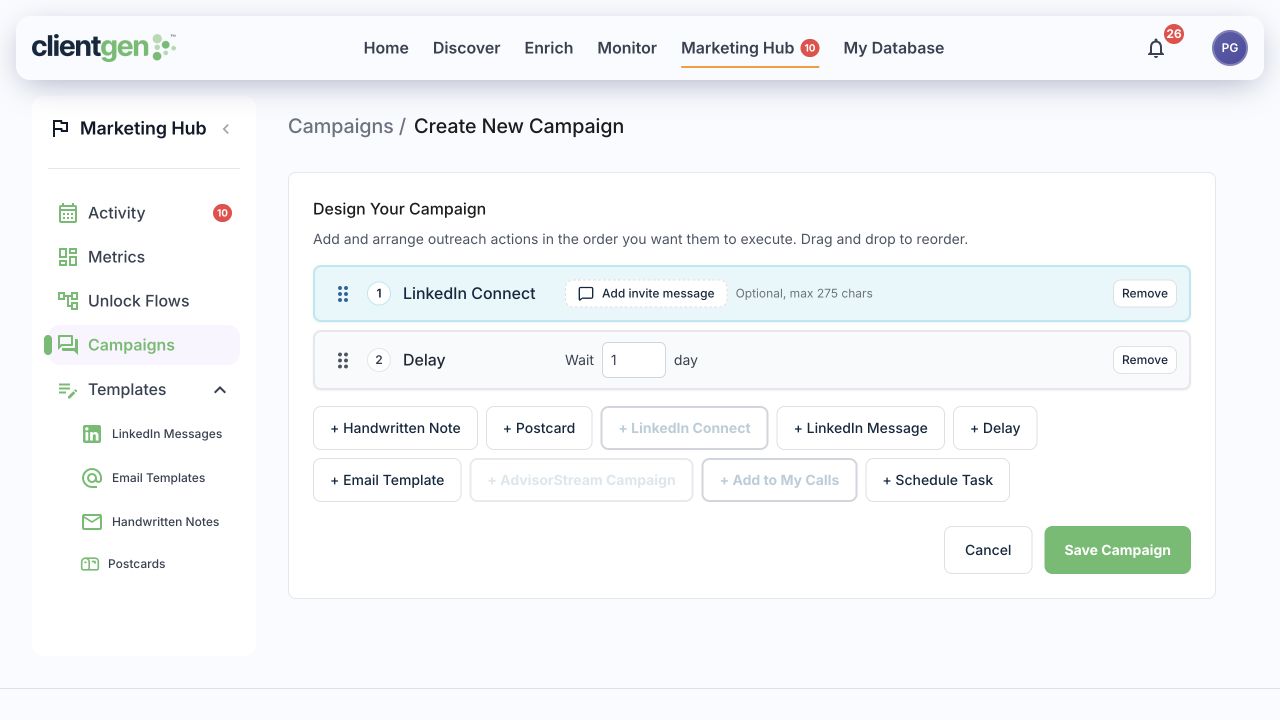
Arrange handwritten notes, postcards, LinkedIn connections and messages, email, delays and scheduled tasks into a campaign. Give each touchpoint a role in the conversation.
Channel setup and your firm’s required approvals apply. Mail and other paid services are additional.
Know who is engaging
Marketing metrics link back to contacts in My Database, so you can move from an activity count to the people behind it.
04 / Stay close to what changes
Monitor existing clients and prospects for supported life and business events. A job change, move or business sale can create a reason to reconnect and revisit what someone needs.
ClientGen offers integrations for LinkedIn, Salesforce, Wealthbox, HubSpot, Redtail and AdvisorStream, plus CSV workflows for existing lists.
Connections and supported actions differ by provider. We’ll walk through your workflow in the demo.
A clear software subscription
Discover, Enrich, Monitor and Marketing Hub, with 1,000 upfront profile credits. Optional Campaign Service adds hands-on support. Mailing, media and additional usage are separate.
Your ClientGen subscription includes connector software access. Prepare branded postcards, notes, ads and landing pages in Claude using an audience you supply. Direct access to ClientGen discovery and enrichment inside Claude is planned separately.
Meet ClientGen for ClaudeSee the work, step by step
Explore short product walkthroughs, a sample prospect profile and the tools advisors connect to Claude.
Take a closer look
Explore the intelligence behind a prospect. Then let us show you what’s possible in your market.
Wealth, family connections, property, career and life events. Open a sample and see the depth for yourself.
Explore the sample profileGet a report prepared for your area and audience, with a market overview and anonymized profile examples.
Get my free local report